IFTA Tracking Software & App

Pipe AG’s IFTA tracking software and app help trucking and agricultural operations simplify fuel tax reporting, eliminate paper logs, and reduce the stress of quarterly filing. Tracking mileage by state, collecting odometer readings, saving fuel ticket information, and organizing reports can take hours when handled manually. Pipe AG makes the process easier by automatically tracking miles per state while the app is running, storing fuel data, and compiling the information into a clean, printable report. With Pipe AG, operators can keep trucking and do less paperwork.

Automatic Miles Per State Tracking

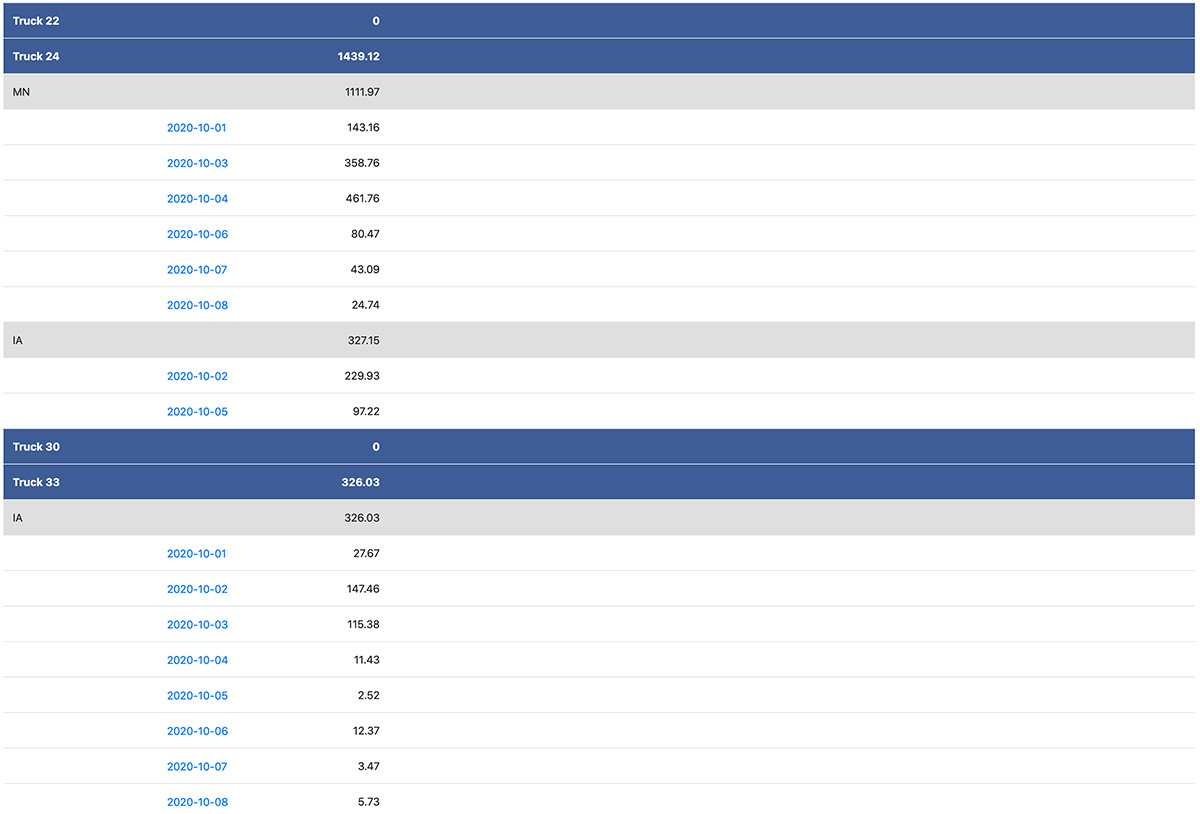
The core of Pipe AG’s IFTA tracking feature is automatic mileage tracking by state. When the Pipe AG app is running, it records truck movement and calculates miles traveled in each state. This eliminates the need for drivers to manually record border crossings or take odometer photos throughout the day.

Automatic tracking helps reduce errors and saves time. Drivers can focus on the road instead of tracking mileage manually, while managers gain access to organized data that is ready for review.

Benefits of automatic mileage tracking include:
• Fewer manual mileage entries
• Reduced reliance on odometer pictures
• More accurate miles per state
• Easier report preparation
• Less paperwork for drivers and office staff

This feature gives operations a more reliable way to capture the mileage information needed for IFTA tax reports.

A Simpler Way to Manage IFTA Reports

IFTA reporting is necessary for many trucking operations, but it does not have to be complicated. Traditional IFTA tracking often depends on odometer photos, handwritten mileage logs, fuel receipts, and manual calculations. These methods create extra work for drivers and office staff, especially when reports are due and missing information has to be found quickly. Pipe AG’s IFTA tracking tools are designed to reduce that burden. The app automatically tracks miles driven in each state and stores the data for easy review. Instead of piecing together routes and mileage at the end of the quarter, users can access accurate reports organized by day, week, month, or quarter. This gives managers and operators a better way to stay prepared throughout the reporting period.

View Reports by Day, Week, Month, or Quarter

Pipe AG makes it easy to review IFTA mileage data in the format that works best for your operation. Reports can be viewed by day, week, month, or quarter, giving users flexibility when checking progress or preparing final filings. Daily views help managers confirm recent activity. Weekly and monthly summaries make it easier to monitor trends and verify records throughout the reporting period. Quarterly reports provide the organized information needed when filing is due. This flexible reporting structure helps users avoid last-minute scrambling. By reviewing IFTA data regularly, operations can identify missing information early and keep records current all year long.

Route History by Specific Date

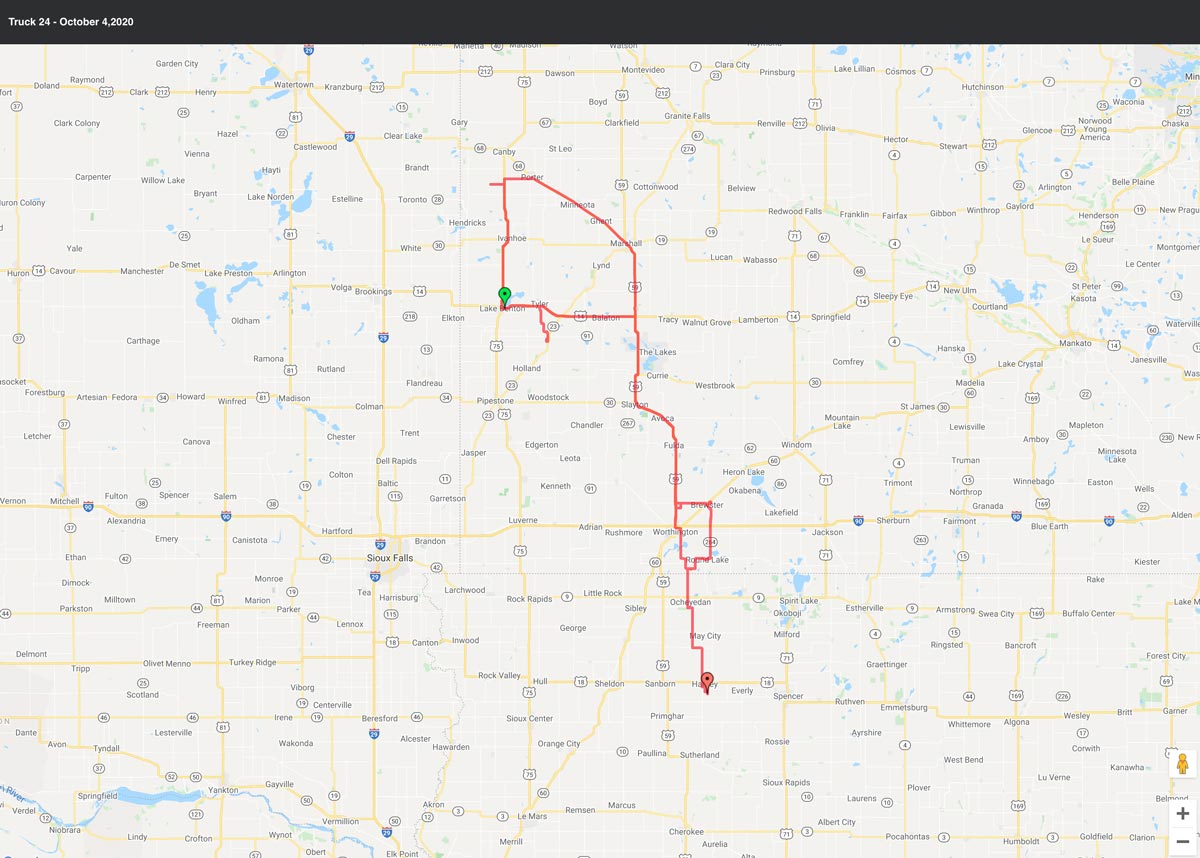
Sometimes mileage totals are not enough. Managers may need to verify where a truck traveled on a specific day or confirm a route for reporting accuracy. Pipe AG makes this simple by allowing users to click on a specific date and view the route driven by each truck.

This route history adds transparency to IFTA tracking. Instead of guessing where a truck traveled or relying on driver memory, users can review the actual route data stored in the system. This is especially helpful when checking state mileage totals, resolving questions, or reviewing activity after a busy week.

Route history supports:
• Mileage verification
• Driver activity review
• Route confirmation
• Better reporting confidence
• Easier issue resolution

With Pipe AG, users have the information they need to understand how mileage totals were created.
GPS-Generated Fuel Ticket Location

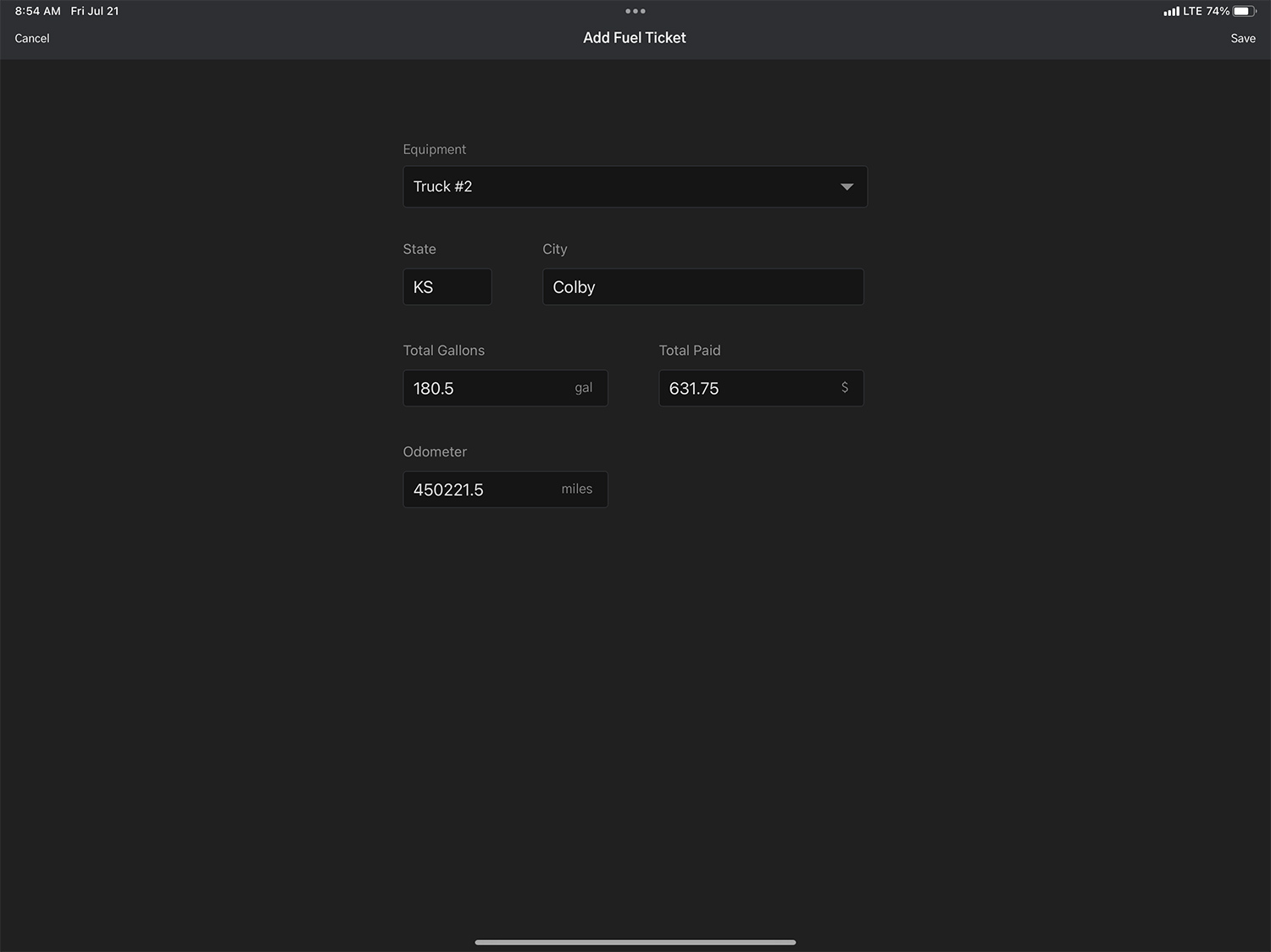
When an operator enters a fuel ticket, Pipe AG uses GPS to auto-generate the closest city and state. This saves time and improves consistency in fuel records. Drivers do not have to manually type location information or worry about entering the wrong city or state. This GPS-assisted process keeps records cleaner and makes fuel ticket entry faster. It also helps ensure that fuel purchases are tied to the correct location, which is important for IFTA reporting and internal cost tracking. By combining operator input with GPS location data, Pipe AG simplifies fuel documentation while improving record accuracy.

Reduce Last-Minute Reporting Stress

One of the biggest challenges with IFTA reporting is the last-minute rush to find missing information. A misplaced fuel receipt, forgotten odometer reading, or incomplete mileage log can delay reporting and create unnecessary stress. Pipe AG helps prevent these issues by collecting information throughout the reporting period. As trucks operate and fuel tickets are entered, the system builds the log automatically. When the report is due, users have organized data ready to review. This proactive approach saves time, reduces frustration, and helps operations stay ahead of deadlines.

Fuel Ticket Entry Made Easy

Fuel purchases are another important part of IFTA reporting. Pipe AG allows truck operators to enter fuel ticket information directly into the system, including total gallons, amount paid, and odometer reading. Once entered, the information is forwarded into the IFTA log and printable report.

This digital entry process helps eliminate missing receipts and incomplete fuel records. Instead of collecting paper tickets and entering them later, operators can record fuel information when the purchase happens.

Fuel ticket details may include:
• Total gallons purchased
• Amount paid
• Odometer reading
• Fuel purchase location
• Date and truck information

By capturing this data in the system, Pipe AG helps create a more complete and reliable IFTA record.

Printable IFTA Reports

When it is time to prepare tax reports, Pipe AG provides printable IFTA logs and reports that compile the information captured in the system. This includes mileage by state and fuel purchase data entered by operators. Having a printable report helps users organize their filing process and maintain records for future reference. Instead of searching through receipts, photos, and handwritten notes, managers can access the information directly from Pipe AG. Printable reports support better documentation, easier review, and more efficient filing preparation.

Built for Real Trucking Workflows

Pipe AG’s IFTA tracking feature is designed to fit the way truck operators actually work. The app runs during operation, tracks mileage automatically, and allows operators to enter fuel information quickly. The system avoids unnecessary complexity while still capturing the data needed for reporting. For drivers, the process is straightforward. For managers, the information is organized and accessible. This balance makes Pipe AG a practical tool for operations that want better IFTA tracking without adding more paperwork.

Eliminate Odometer Pictures and Paper Logs

Manual IFTA tracking often creates clutter and confusion. Drivers may be asked to take odometer pictures, maintain paper mileage logs, save receipts, and submit paperwork at the end of each reporting period. These processes are time-consuming and easy to forget during long hauls or busy seasons.

Pipe AG’s IFTA tracking software and app replace these manual steps with digital automation. Mileage is tracked through the app, fuel tickets are entered into the system, and reports are stored for convenient access.

This helps operations reduce:
• Paper logbooks
• Odometer photo storage
• Manual mileage calculations
• Lost fuel receipts
• End-of-quarter data entry

The result is a cleaner, simpler workflow that saves time for both drivers and administrative staff.

Improve Accuracy and Accountability

Accurate records are essential for fuel tax reporting. Pipe AG improves accuracy by automating mileage tracking, capturing route history, and storing fuel ticket information in one system. This creates a clearer record of truck activity and reduces the chance of missing or inconsistent data.
The system also supports accountability. Managers can review mileage, routes, fuel entries, and report details when needed. This transparency helps operations maintain cleaner records and make better-informed decisions.

Do you find yourself looking for a simpler way to track IFTA reports? You can eliminate odometer pictures and paper logs with PIPE AG. We automatically track miles per state with the PIPE AG app running. The report is accessible to view by miles per day, week, month, or quarter. By clicking on a specific date, you can even view the route that was driven by each truck. Simplify your IFTA tax reports with PIPE AG!

With PIPE AG, truck operators can input their total gallons, amount paid, and odometer reading into the system that is then forwarded to the IFTA log/ printable report. No more last minute rushing to find missing receipts when an IFTA report is due! PIPE AG captures and stores this information to be accessible at your convenience. When an operator is inputting a fuel ticket, the ticket is auto generated by GPS to the closest city/state. Keep trucking an do less paperwork with PIPE AG’s IFTA logs!

The Pipe AG Advantage

Pipe AG’s IFTA tracking software and app simplify one of the most time-consuming parts of trucking operations. By automatically tracking miles per state, organizing reports by time period, storing route history, and capturing fuel ticket details, Pipe AG helps users reduce paperwork and stay prepared for reporting deadlines.

With GPS-generated fuel locations, printable reports, and convenient digital access, Pipe AG eliminates many of the headaches associated with manual IFTA logs. Operators can enter fuel information quickly, managers can access records when needed, and the entire operation can spend less time chasing paperwork.

For teams looking for a simpler, more reliable way to manage IFTA tracking, Pipe AG delivers a practical solution built to keep trucks moving and reporting organized.